
Making a credential public or private
From your Wallet you can decide whether each of your credentials is visible to others or not.
- Open the details of the credential you want to change.
- Use the Public switch to turn it on or off.
What each status means
- Public: the credential shows up on your public profile and its direct link works for anyone who opens it.
- Private: the credential doesn’t show up on your public profile and its direct link is blocked for others. You can always keep viewing it from your Wallet.
🔎 Note: your issuer sees in their issuance history when you made your credential private or public again, but can’t change that decision.
Search engine indexing
Next to the Public switch you’ll find Indexing, an independent control to decide whether you want that credential to show up in search engines like Google.
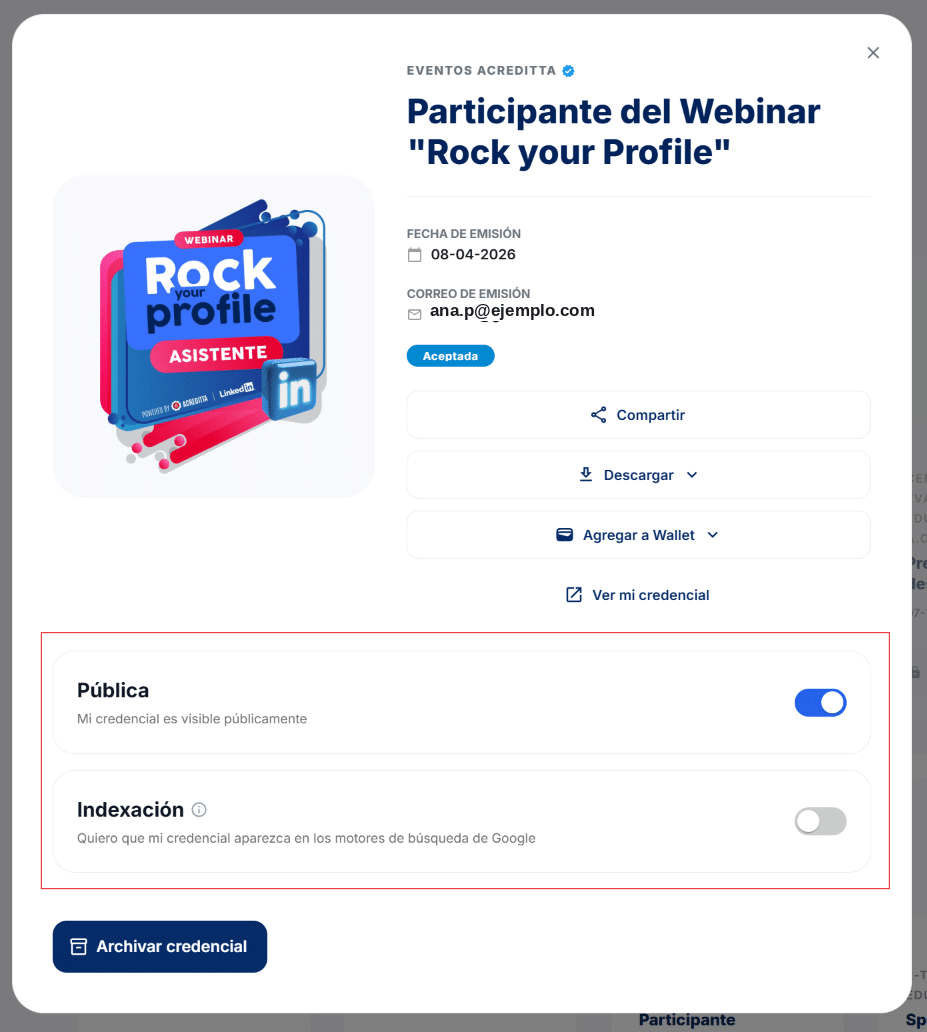
🔎 Note: if you make a credential private, its search engine indexing is automatically turned off. If you make it public again, indexing doesn’t turn back on by itself — you have to enable it again if you want it to show up in search engines again.
⚠️ Important: making a credential private or hiding it from search engines doesn’t delete it or change its validity — it’s just a visibility control. To stop seeing it in your main list without changing its privacy, use Archiving and unarchiving credentials.