
Downloading my credential’s image
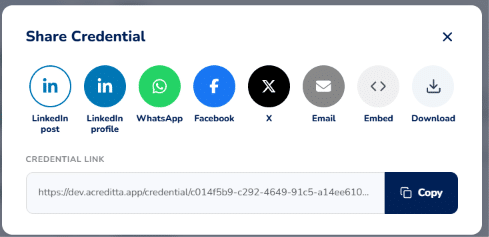
You can download your credential from your Wallet or from the credential’s public page. On the public page, the Download option is inside Share.
Download from the public page
- Click Share and then Download.
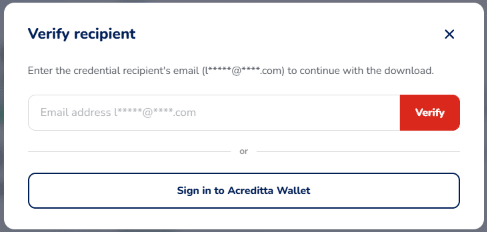
- Enter the email address you received the credential at. The window shows a hint of the correct email, with some characters hidden.
- Click Verify.
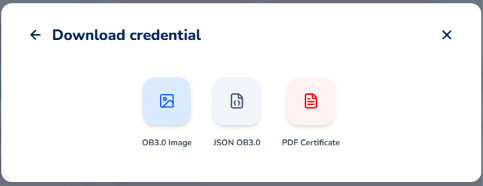
- Choose the format you want to download.
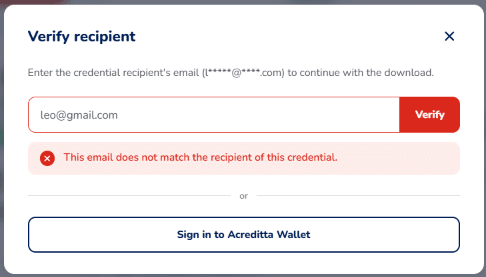
If the email doesn’t match the Earner’s, the download doesn’t continue and you’ll see an error message. Check that you entered the email you received the credential at.
Why does it ask for the email? Anyone can view and verify your credential, but only someone who knows your email can download its files. This protects your credential from unauthorized copies.
In the same window you can also choose Sign in to Acreditta Wallet with the email you received the credential at, and download it from there.
⚠️ Important: if you haven’t accepted the credential yet, first accept it through the channel it reached you by (for example, the notification email). See Accepting a credential I received.
Download from your Wallet
If you’re signed in to your Acreditta Wallet, click Download on the credential: you’re not asked for the email.
Available formats
- OB3.0 Image: your credential’s image in PNG.
- JSON OB3.0: the credential’s data file in the Open Badges 3.0 standard, useful for technical verification or integrations.
- PDF Certificate: a printable document with your credential’s design and data. This option only appears if your Issuer included a record in that credential’s template. See Viewing and downloading my credential’s PDF record.
🔎 Note: we recommend downloading your credential’s image and adding it to your email signature, linked to your credential’s URL. This way anyone who receives your emails can see all the information about your accreditation in one click. See Adding my credential to my Gmail signature.