
Sharing my credential on LinkedIn and other social media
You can share your credential from its public page or from your Wallet — in both cases, use the Share button.
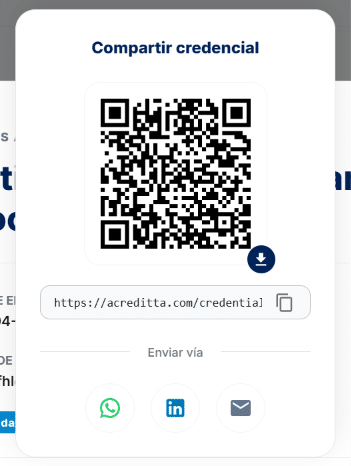
Sharing options
Clicking Share opens the available options, which can include:
- LinkedIn: post the credential to your feed, or add it directly to the Certifications section of your profile.
- WhatsApp, Facebook, and X.
- Email.
- Copy the credential’s link.
- Embed the credential in a web page.
- Download: on the public page, download is here and asks you to verify your email. See Downloading my credential’s image.
- QR code for the credential (available when sharing from the Wallet).
🔎 Note: the exact options may vary slightly depending on whether you open the share dialog from your Wallet or from the credential’s public page.
Sharing via LinkedIn
If you add the credential to your LinkedIn profile (Certifications), it will show your issuing organization’s logo instead of the credential’s image — that’s how LinkedIn works for any certification, not just Acreditta’s.
Anyone who sees your credential on LinkedIn can click it to go to the public page showing the image and all of the credential’s metadata on Acreditta.