
Viewing and downloading my credential’s PDF record
Some credentials include a record: a PDF document with your credential’s design and data, meant to be printed or attached wherever formal proof is required.
- Open your credential’s details (from your Wallet or from the credential’s public page).
- Click Download.
- If your credential has a record, you’ll see the PDF option next to OB3.0 PNG and OB3.0 JSON in the dropdown menu.
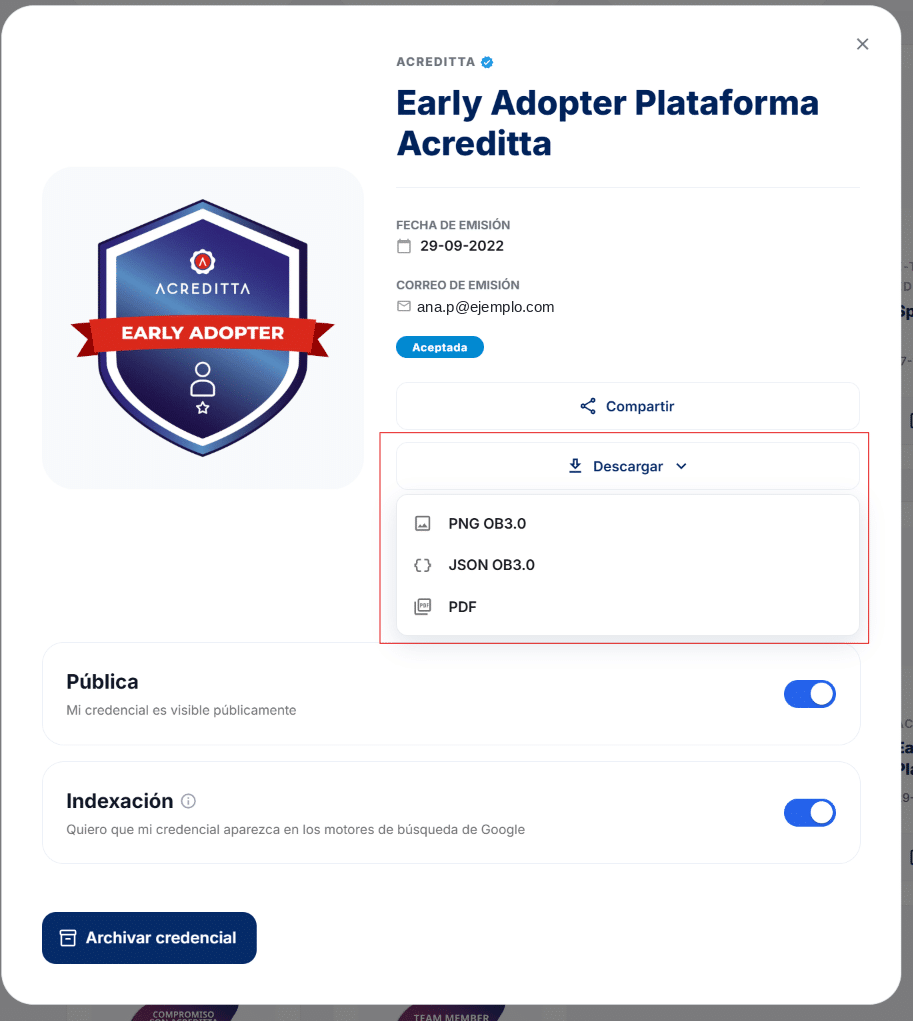
⚠️ Important: the PDF record isn’t available for every credential — it depends on whether your issuer included it in that specific credential’s template. If you don’t see this option, that particular credential doesn’t have a record configured; contact your issuer if you expected one.
See also Downloading my credential’s image for the other available formats.